
![Kubecost: The Ultimate Guide to Kubernetes Cost Management [2026]](/images/blog/kubecost-hero.png)
What is Kubecost and how does it save money?
Kubecost is an open-source tool that provides real-time cost visibility for Kubernetes. It maps resource usage (CPU, RAM, storage) to cloud billing data, enabling teams to allocate spend by namespace or deployment and providing automated recommendations to reduce cloud bills by 30-50%.
Kubernetes has won the container orchestration war, but for many enterprises, that victory has come with a staggering price tag. As clusters scale and microservices proliferate, cloud bills often spiral out of control, leaving finance teams frustrated and DevOps engineers overwhelmed.
Kubecost has emerged as the industry-standard solution for real-time cost visibility and optimization in Kubernetes environments. In this comprehensive guide, we will explore everything you need to know—from underlying architecture to advanced strategies that slash your cloud spend by 30% or more.
1. Introduction: What is Kubecost?
At its core, Kubecost is a specialized monitoring and cost-allocation tool designed specifically for Kubernetes. While traditional cloud billing tools provide a high-level view of your infrastructure spend, they typically lack the granularity to tell you how much a specific namespace, deployment, or even an individual pod is costing you.
Kubecost bridges this "visibility gap" by providing real-time cost data directly within the context of your Kubernetes resources. It allows teams to see exactly where their money is going, down to the level of CPU, GPU, memory, and storage consumption.
The Rise of Kubernetes FinOps
In 2026, "FinOps" (Financial Operations) has moved from a buzzword to a mandatory discipline. The goal is simple: ensure that every dollar spent on cloud infrastructure is driving maximum business value. However, Kubernetes complicates this because it abstracts away the underlying hardware. A single EC2 instance on AWS might host dozens of pods from different departments, making it nearly impossible to allocate costs using native cloud billing tags alone.
Kubecost solves this by:
- Providing Granular Visibility: Breaking down costs by Kubernetes concepts (Namespace, Controller, Service, Label).
- Enabling Accurate Showback/Backback: Automatically generating reports for finance departments based on actual resource consumption.
- Driving Optimization: Identifying abandoned resources and recommending right-sizing for workloads.
Featured Snippet: Kubecost is an open-source-based cost monitoring and optimization platform for Kubernetes. It provides real-time cost visibility and insights by mapping Kubernetes resource usage (CPU, RAM, storage, network) to actual cloud provider billing data, enabling teams to allocate spend by namespace, deployment, and service with pod-level granularity.
At UseShift, we often see clients migrate to Kubernetes for its scaling capabilities, only to be shocked by the "black hole" of cluster spending. Implementing Kubecost is usually the first step we take in our AI Strategy and Infrastructure Audit to ensure our clients' automation stacks remain cost-efficient as they scale. If you're still deciding on your container strategy, read our guide on Docker vs Kubernetes to understand the foundation of your cluster.
2. How Kubecost Works: A Technical Deep-Dive
To understand the power of Kubecost, you must understand how it integrates with your cluster and your cloud provider. It is not just a dashboard; it is a sophisticated data engine that reconciles real-time telemetry with historical billing data.
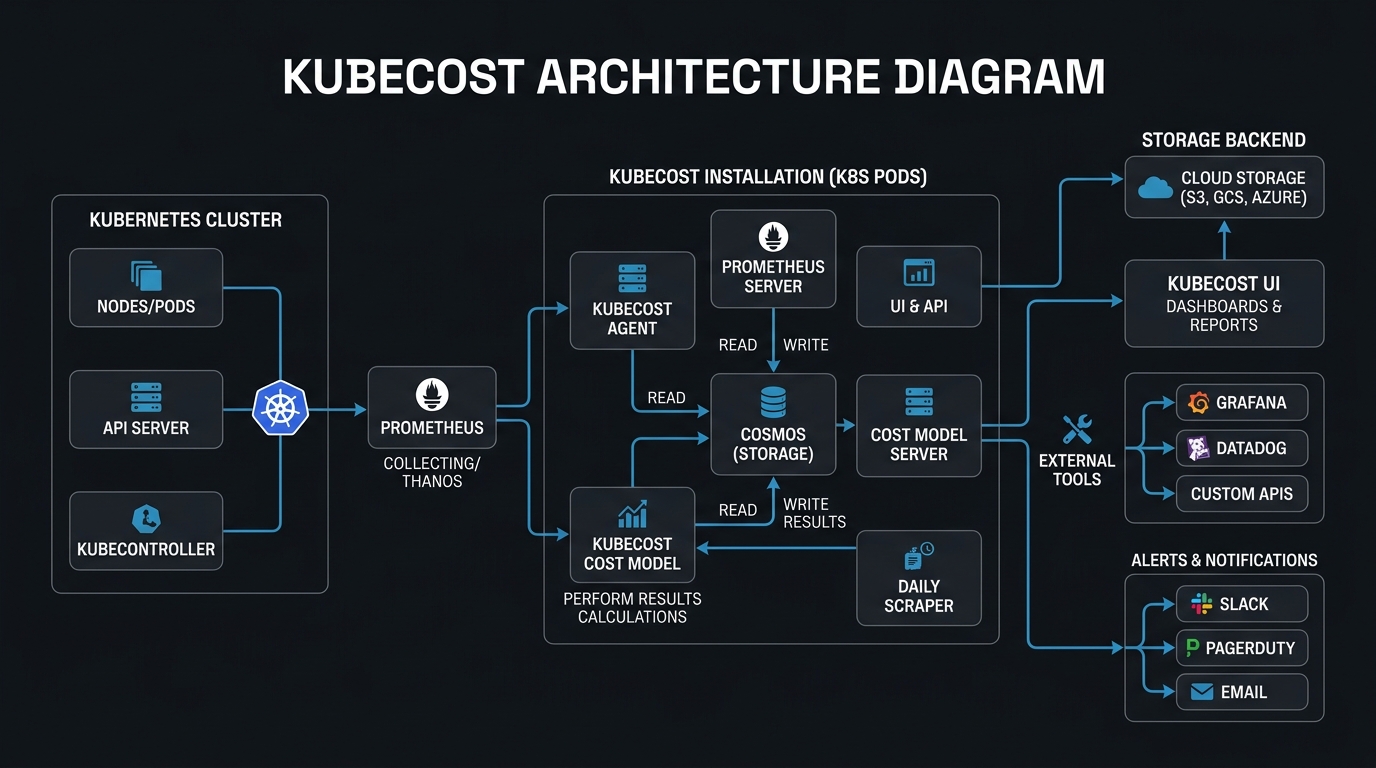
Figure 1: The Kubecost Architecture and Metric Flow
The Kubecost Architecture: Under the Hood
Kubecost is built on a modular architecture that leverages several open-source components, primarily Prometheus and Grafana, but it also includes proprietary logic for cost reconciliation.
- The Cost-Model: This is the heart of Kubecost. It is a Go-based service that runs as a deployment in your cluster. It scrapes resource usage metrics from the Kubernetes API and Prometheus. It uses a series of complex PromQL (Prometheus Query Language) queries to determine the CPU, memory, and storage utilization of every container.
- Prometheus: Kubecost uses Prometheus as its time-series database. It collects metrics about CPU usage, memory reservation, and disk I/O. If you already have a Prometheus instance running, Kubecost can easily hook into it.
- Cloud Billing APIs: Kubecost connects to your cloud provider's billing APIs (AWS Cost and Usage Report, Azure Consumption API, GCP Billing Export). This allows it to fetch the actual prices you pay, including Enterprise Discount Programs (EDP) and Reserved Instance (RI) discounts.
- Network Costs: One of the most complex parts of Kubernetes billing is egress and cross-zone traffic. Kubecost uses a specialized network-cost daemonset to track traffic between pods and regions.
- Object Storage Tracking: Modern AI workflows often rely heavily on S3, GCS, or Azure Blob Storage. Kubecost has expanded its capabilities to track these external cloud costs and attribute them back to the Kubernetes pods.
For accurate cost tracking, a 1-minute scrape interval is recommended. Longer intervals can lead to "aliasing" where short-lived pods (like CronJobs or CI/CD runners) are missed entirely, leading to under-reported costs.
Calculating the "Unit Cost": The Math Behind the Bill
Kubecost calculates costs by combining the "Quantity" of a resource used with its "Unit Price."
- Quantity: Calculated via Prometheus metrics (e.g., the max of
requestsvsusage). Kubecost uses the formula:max(usage, requests)to determine the billable quantity. - Price: Fetched from cloud APIs. If no API access is provided, Kubecost falls back to its internal "Price Sheet," which contains default list prices for all major cloud providers.
Key Takeaways
- Kubecost reconciles real-time K8s telemetry with actual cloud billing reports.
- It tracks egress and cross-region traffic via a specialized daemonset.
- The billing quantity is based on the max of actual usage vs. resource requests.
3. Key Features of Kubecost for Enterprise Teams
While developers love the real-time visibility, enterprise leadership and platform teams value the governance and reporting features that Kubecost provides.
Real-Time Cost Allocation
The most common use case for Kubecost is cost allocation. By using Kubernetes labels, teams can organize costs by "Team," "Project," or "Cost Center." For example, if you label your namespaces with team: marketing and team: engineering, Kubecost can immediately show you a pie chart of spend per department.
Unified Multi-Cluster Visibility
For organizations running dozens or hundreds of clusters, Kubecost offers a "Unified View." By deploying a lightweight agent in each cluster and centralizing the data in a primary "Hub" cluster, you can view your entire global Kubernetes spend in a single pane of glass.
Automated Optimization Insights
Kubecost doesn't just show you how much you are spending; it tells you how to spend less. The "Insights" dashboard highlights:
- Abandoned Workloads: Pods that are running but receiving zero traffic over a 7-day period.
- Under-provisioned Pods: Pods that are frequently OOMKilled and need more resources.
- Over-provisioned Pods: Pods that have requested high vCPUs but are only using a fraction.
- Unclaimed Volumes: Persistent Volumes that are no longer attached but still incurring costs.
Governance and Alerting
Budget overruns in Kubernetes happen fast. Kubecost allows you to set up budget alerts via Slack, PagerDuty, or Email. You can set thresholds based on daily spend, monthly budget, or even "efficiency scores."
If you are building complex AI-powered workflows, these alerts are vital. UseShift recommends setting up "Anomalous Spend" alerts, which trigger when a namespace's cost deviates by more than 20% from its 7-day rolling average.
4. Kubecost vs. Native Cloud Cost Tools
Many teams ask: "Why do I need Kubecost if I already have AWS Cost Explorer or Azure Cost Management?" The answer lies in the level of abstraction and the speed of feedback loops.
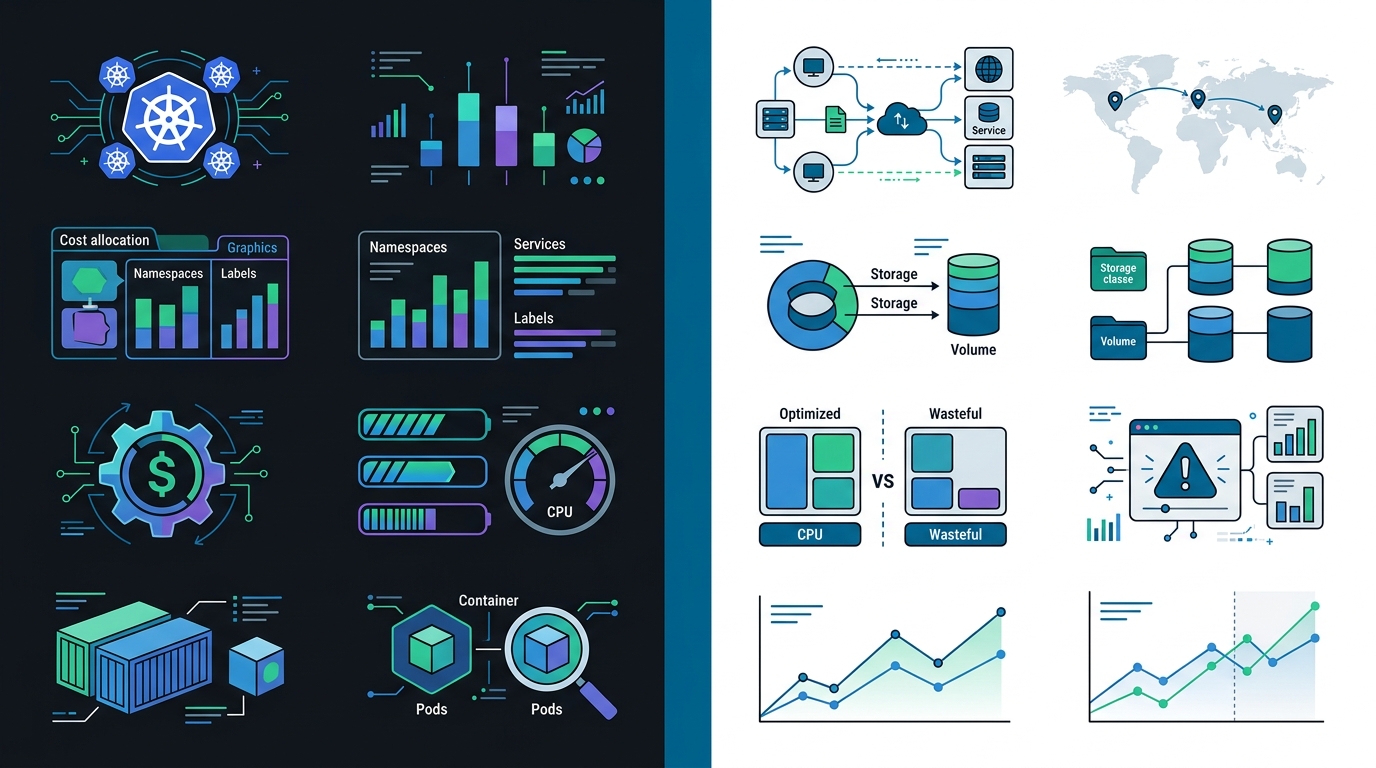
Native cloud tools were built for the "Server Era." They see instances (EC2, VMs) and managed services (RDS, S3). They do not understand the internal state of a Kubernetes cluster. In a shared cluster, an instance might be running 50 different pods from 50 different owners.
| Feature | Kubecost | AWS/Azure/GCP Native Tools |
|---|---|---|
| Granularity | Pod, Container, Namespace, Label | Instance, Service, Region |
| Real-time Data | Minutes (via Prometheus) | 24-48 Hours (via Billing Reports) |
| Cost Allocation | Deep K8s-native integration | Limited to Instance-level tags |
| Network Visibility | Cross-AZ, Cross-Region pod traffic | Generic Data Transfer costs |
| Optimization | K8s-specific (Right-sizing, Spot) | General (RI/Savings Plans) |
| Multi-Cloud | Supported (Single View) | Siloed per provider |
| Idle Cost Visibility | High (Calculates wasted capacity) | Non-existent |
5. Step-by-Step: Kubecost Installation and Configuration
Installing Kubecost is straightforward, thanks to its official Helm chart. In this section, we will walk through a standard production-ready installation.
Prerequisites
- A running Kubernetes cluster (v1.19+).
- Helm 3 installed.
- At least 2GB of free RAM for the Kubecost and Prometheus pods.
- A cloud billing integration (IAM roles for AWS, Service Principals for Azure).
Step 1: Add the Kubecost Helm Repository
helm repo add kubecost https://kubecost.github.io/cost-analyzer/
helm repo update
Step 2: Install Kubecost
helm install kubecost kubecost/cost-analyzer --namespace kubecost --create-namespace \
  --set kubecostToken="YOUR_TOKEN_HERE"
Step 3: Configure Cloud Billing Integration
To get accurate pricing, you must connect Kubecost to your cloud provider. For AWS, this involves creating an S3 bucket for your Cost and Usage Reports (CUR) and providing Kubecost with a read-only IAM role.
kubecostProductConfigs:
  clusterName: production-cluster-01
  projectID: your-gcp-project-id
  awsServiceAccount: arn:aws:iam::1234567890:role/KubecostRole
prometheus:
  server:
    retention: 30d
6. Managing Idle Costs: The Secret to High-Efficiency Clusters
One of the most powerful features of Kubecost is its ability to identify and quantify Idle Costs. In the cloud, you don't just pay for what you use; you pay for what you reserve.
Idle costs are the difference between the total cost of your nodes and the cost of the resources requested by your pods. If you have a 16-core node but your pods only request 4 cores, the cost of those other 12 cores is "Idle."
Strategies for Reducing Idle Spend:
- Cluster Autoscaling: Use the Cluster Autoscaler or Karpenter (for AWS) to automatically shrink your cluster when demand is low.
- Bin Packing: Configure your pod anti-affinity and affinity rules to pack pods more densely onto fewer nodes.
- Taints and Tolerations: Ensure that specialized nodes (like GPU nodes) are only used by the workloads that actually need them.
7. Advanced Optimization: Reducing Your Kubernetes Spend
Once you have visibility, the next step is action. Kubecost provides the data, but it is up to your engineering team to implement the changes.
1. Workload Right-Sizing
Most developers over-provision resources "just in case." Kubecost tracks historical usage and provides specific "Request Recommendations."
Pro Tip: Don't just look at the average usage. Look at the 99th percentile (P99). UseShift recommends starting with Conservative recommendations (P99) for production and moving to Adoptive (P95) for staging. This can reduce a cluster's footprint by 40% overnight.
2. Spot Instance Integration
Spot instances are spare cloud capacity offered at up to a 90% discount. Kubecost helps you identify which workloads are "Spot-ready"—typically stateless microservices or batch processing jobs.
3. Cluster-Level Efficiency Scores
Kubecost assigns an "Efficiency Score" (0-100%). Targeting a 70% efficiency score is usually the "sweet spot" for most production environments, balancing cost-savings with performance stability.
8. Common Kubernetes Cost Management Mistakes
In our experience helping companies transition to AI-driven automation, we see the same three mistakes repeatedly.
- Mistake 1: Ignoring "Zombie" Resources: Persistent Volumes (PVs) that aren't attached to anything. These can account for 15% of storage bills. To prevent data loss while managing these costs, you should integrate a robust backup solution like Velero for Kubernetes.
- Mistake 2: The "Requests vs. Limits" Confusion: Setting high CPU limits but low requests, preventing effective node packing.
- Mistake 3: Lack of Ownership: If the engineering team doesn't see the bill, they won't care about it. Fostering a culture of accountability is key.
9. The Future of Kubecost: Sustainability and OpenCost 2.0
As we move further into 2026, the focus of cost management is shifting toward two new frontiers: Sustainability and Standardization.
Carbon Footprint Tracking
Kubecost has integrated carbon footprint tracking, mapping CPU and RAM usage to regional energy grid data. This allows companies to optimize for both dollars and CO2 emissions, potentially moving non-time-sensitive jobs to "green" regions.
OpenCost 2.0 and the FOCUS Standard
Kubecost is a primary driver of the FOCUS (FinOps Cost and Usage Specification) standard. With OpenCost 2.0, the engine is becoming even more lightweight, allowing it to run in edge computing environments with minimal overhead.
11. Conclusion: Scaling Efficiently with UseShift
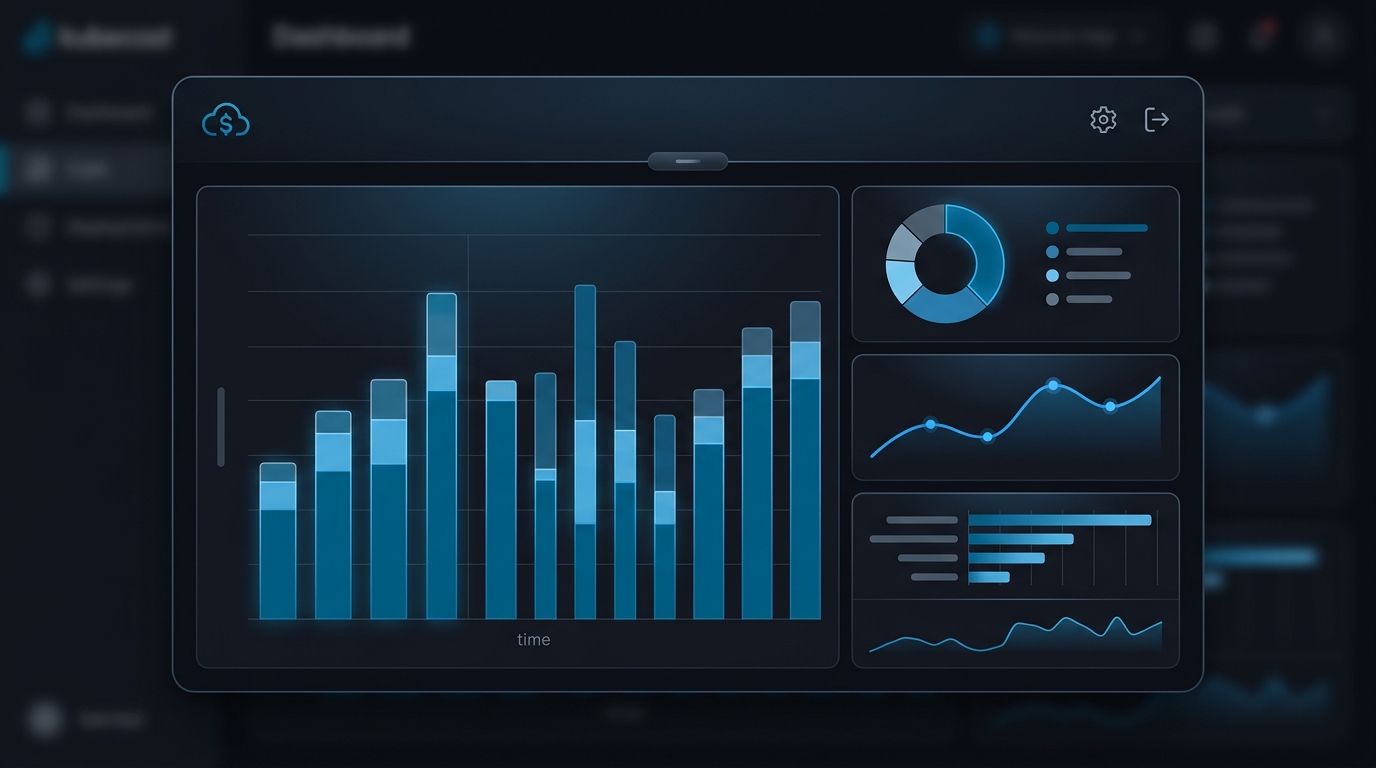
Kubernetes is a powerful engine for growth, but without proper instrumentation, it can become a financial liability. Kubecost provides the transparency needed to turn Kubernetes into a predictable, manageable expense. By implementing visibility and optimization, you ensure that infrastructure supports business goals rather than draining your budget.
At UseShift, we specialize in helping businesses automate their entire operations using the most efficient AI and cloud technologies. Whether you are struggling with a complex migration or looking to optimize your existing "AI Employee" fleet, we are here to help.
Key Takeaways
- Kubecost provides real-time pod-level visibility that native cloud tools lack.
- Right-sizing workloads (targeting 70% efficiency) is the fastest way to reduce spend.
- Integrating Kubecost with FinOps practices fosters a culture of technical and financial accountability.
Ready to slash your cloud spend?
Book a free Kubernetes efficiency audit with UseShift today and start shifting your focus back to growth.
Discuss Your RoadmapDisclaimer: Kubecost is a trademark of Stackwatch, Inc. This guide is an independent technical review provided by UseShift for educational purposes.